Hand your tools to every GitHub Actions step
A CI step is a new shell, so an eval in step one is gone in step two: pnpm: command not found. ocx env --ci=github leaves a note GitHub reads before every later step, and setup-ocx writes it for you. The order tool that still needs Node.js 20 gets its own job: the action's groups: fossil, with no further ocx env step.
Duration
Transcript
At the desk, the shell hook from episode 4 puts Node and pnpm on PATH.
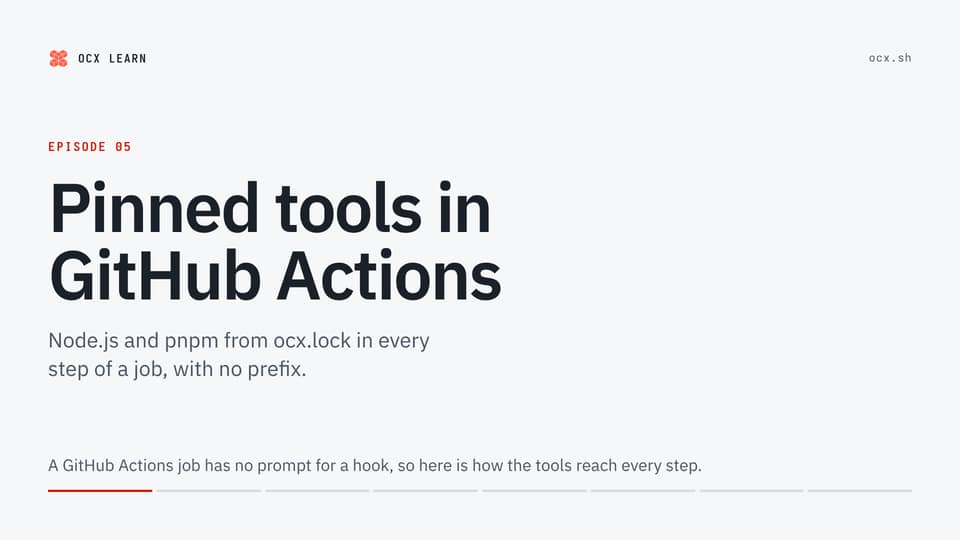
A GitHub Actions job has no prompt for a hook, so here is how the tools reach every step.
The first try copies the desk: step one evaluates ocx env for bash, and pnpm answers.
Step two asks again, and pnpm is not found.
On GitHub, each run step is a new process with its own shell.
The eval changed step one's shell, and that shell is gone.
With the CI flag set to GitHub, ocx env writes to files instead.
A runner names them in GITHUB_PATH and GITHUB_ENV; here an export stands in.
The command pulls the locked tools, then appends their directories to GITHUB_PATH.
GitHub puts each line at the front of PATH for every later step, but not for the step that wrote it.
These tools set no other variables, so GITHUB_ENV stays empty.
Without the action, a fresh step cannot find ocx either.
So the install step also appends the installer's directory to GITHUB_PATH.
The next step runs ocx env, and from then on plain pnpm and node commands run.
The lock check from episode 2 fits between those two steps.
The setup-ocx action replaces both steps.
It installs ocx, pulls the locked tools and runs the same command.
It also caches the package store, keyed on a hash of ocx.lock, and ocx itself.
The docs use the version tag for readability; GitHub recommends pinning a commit SHA.
The orders tool from episode 3 still needs Node 20, so it has the group fossil.
Each job runs on a fresh machine, so a second job sets itself up.
The action's groups input selects the fossil group for the job.
Every later step runs on that group's tools, with no extra ocx env step.
So orders installs and runs on Node 20.
A run step is a new shell, so an eval ends with its step.
ocx env with the CI flag hands the tools to every later step, and setup-ocx runs it for you.
After that, every command in the job runs plain, with no ocx exec.
OCX is still before version 1, so start with one job in one repository.
The installer and the GitHub Actions guide are at ocx.sh.
Embed this video
HTML
<div style="aspect-ratio:16/9"><iframe src="https://ocx.sh/learn/videos/05-github-actions/embed/" title="Hand your tools to every GitHub Actions step" loading="lazy" allow="fullscreen" style="width:100%;height:100%;border:0"></iframe></div>MDX or JSX
<div style={{aspectRatio: '16/9'}}><iframe src="https://ocx.sh/learn/videos/05-github-actions/embed/" title="Hand your tools to every GitHub Actions step" loading="lazy" allow="fullscreen" style={{width: '100%', height: '100%', border: 0}}></iframe></div>README Markdown
[](https://ocx.sh/learn/videos/05-github-actions/)Duration

Transcript
Steggo wrote Rexy's CI job.
Rexy has a problem.
Rexy: Step one had pnpm. Step two lost it?
Steggo: Oh no. And I was so proud.
What can he do?
Bronto, platform team, has seen this before.
Bronto: Each CI step is a new terminal tab.
Bronto: Your eval stayed in tab one Steggo: It forgets things? Like me!
Bronto: So leave a note for the next tab.
GitHub reads the note before every later step.
Steggo: Notes! That's how I remember things.
Take two: Steggo writes the notes himself.
Steggo: One note for ocx, one for the tools!
Rexy: No prefix here either!
Bronto: setup-ocx writes both notes for you.
Steggo: Four lines became one!
Pecky: And orders? It still needs Node.js 20!
Two jobs run on two fresh machines.
Bronto: groups: fossil pulls it.
Pecky: Fossils run in my family!
GitHub Actions? setup-ocx hands the tools over
Embed this video
HTML
<div style="aspect-ratio:16/9"><iframe src="https://ocx.sh/learn/videos/05-github-actions/dino/embed/" title="Hand your tools to every GitHub Actions step" loading="lazy" allow="fullscreen" style="width:100%;height:100%;border:0"></iframe></div>MDX or JSX
<div style={{aspectRatio: '16/9'}}><iframe src="https://ocx.sh/learn/videos/05-github-actions/dino/embed/" title="Hand your tools to every GitHub Actions step" loading="lazy" allow="fullscreen" style={{width: '100%', height: '100%', border: 0}}></iframe></div>README Markdown
[](https://ocx.sh/learn/videos/05-github-actions/#dino)